
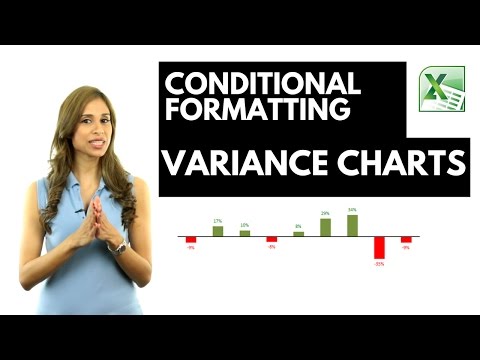
Discover how to create dynamic column charts in Excel that automatically update colors based on data changes. This tutorial is perfect for anyone looking to enhance their Excel skills, especially in visually representing sales data. Here's a quick overview of what you'll learn:
⬇️ Grab the workbook from here: https://pages.xelplus.com/variance-chart-file
Dynamic Color Coding: Learn how to set up Excel so that positive changes in data are shown in green and negative changes in red, without manually coloring each data point.
Synchronized Sales Data Charts: Find out how to display actual sales data alongside the change from the previous year, with both charts perfectly aligned for easy comparison.
Step-by-Step Guide: Follow clear, easy steps to set up your charts from scratch, including removing unnecessary elements for a clean, professional look.
🎓 Get access to the complete Excel Dashboard Course: https://www.xelplus.com/course/excel-dashboards/
Colorful Data Labels: Not just the bars, but also learn how to change the color of the data labels based on their position relative to the axis.
Conditional Formatting of Charts: Master the art of conditional formatting within charts to make your data more insightful and visually appealing.
Custom Number Formatting: Dive into custom number formatting to control the display and color of your numbers directly in Excel cells.
Practical Examples: Watch as we demonstrate these techniques using actual sales data, making it easier for you to apply these skills in real-world scenarios.
In this video I show you how you can use conditional formatting in Excel Column or Excel Bar charts.
I also show you how you can conditionally format the data labels in Excel graphs to show a different color if the values are positive to when the values are negative.
The technique in the video shows a variance column chart but it works in the same way for a bar chart.
This technique works for Excel 2010, Excel 2013 and Excel 2016. For Excel 2007 and below, you need to use a different technique. You will need to create two additional series, one for positive number and another for negative numbers and format each series accordingly - and also overlap these by 100%.
Part 2 - Better Variance charts https://youtu.be/73s3qej4vi0
Part 3 - Arrow Variance Chart https://youtu.be/-wYJdbb8-0Y
★ My Online Excel Courses https://www.xelplus.com/courses/
➡️ Join this channel to get access to perks: https://www.youtube.com/channel/UCJtUOos_MwJa_Ewii-R3cJA/join
👕☕ Get the Official XelPlus MERCH: https://xelplus.creator-spring.com/
🎓 Not sure which of my Excel courses fits best for you? Take the quiz: https://www.xelplus.com/course-quiz/
🎥 RESOURCES I recommend: https://www.xelplus.com/resources/
🚩Let’s connect on social:
Instagram: https://www.instagram.com/lgharani
LinkedIn: https://www.linkedin.com/company/xelplus
Note: This description contains affiliate links, which means at no additional cost to you, we will receive a small commission if you make a purchase using the links. This helps support the channel and allows us to continue to make videos like this. Thank you for your support!
#excel

📚 Educating the Masses: The Education Video Genre
The Education genre is one of the most valuable and fastest-growing categories on video platforms. It moves beyond traditional classrooms, offering accessible and diverse learning content to a global audience. These videos are designed to inform, instruct, and inspire viewers across all ages and subject matters.
The Scope of Educational Content 🎓
Educational videos cover an immense range of topics, from academic subjects and professional skills to life hacks and personal development. The key to this genre's success is its ability to break down complex information into engaging, easily digestible formats.
Key Subject Areas and Formats 🧪
- Academic Tutorials: Videos covering school and university subjects like mathematics ($E=mc^2$), science (explaining cell structure), history (analyzing World War II), and literature.
- Skill-Based Learning: Instructional content for practical skills such as coding, graphic design, musical instrument lessons, cooking, or language acquisition.
- Documentary and Explainer Videos: Short, narrative-driven pieces that explore complex societal, scientific, or historical topics. They often use high-quality graphics and narration to simplify abstract concepts.
- DIY and How-To Guides: Step-by-step videos demonstrating how to complete a specific task, from home repairs to software configuration.
- Personal Finance and Development: Content focused on improving personal life, covering topics like budgeting, investing, time management, and psychology.
Why Video is a Powerful Education Tool 🧠
Video enhances learning effectiveness by appealing to both visual and auditory senses. This multisensory approach can significantly improve retention and comprehension compared to reading text alone.
The Benefits of Video-Based Learning 🌐
The format addresses several common hurdles in traditional education, making learning more flexible and personalized.
Advantages for Learners ✨
- Visualization of Concepts: Complex processes (like cell division or how an engine works) can be seen in action, which is far clearer than a static description.
- Self-Paced Learning: Viewers can pause, rewind, and re-watch sections until a concept is fully understood, catering to individual learning speeds.
- Accessibility: Educational content is available anywhere with an internet connection, breaking down geographical and financial barriers to high-quality instruction.
- Engagement: Good production values, animated graphics, and enthusiastic presenters make learning more enjoyable and hold the viewer's attention longer.
Tips for Creating Effective Education Videos 📊
A great educational video must balance accuracy with engagement. Information needs to be trustworthy, but the presentation must be captivating enough to compete with pure entertainment content.
Best Practices for Creators ✍️
- Structure and Pacing: Start with a clear learning objective, introduce the concepts logically, and end with a concise summary. Maintain a brisk pace to keep viewers engaged.
- Visual Aids: Use on-screen text, graphs, charts, and animations extensively to illustrate points and support the verbal explanation.
- Accuracy and Authority: Research is paramount. Ensure all facts are correct and cite sources where appropriate to build trust and credibility with the audience.
- Simple Language: Break down jargon. Always explain technical terms in plain language before using them extensively. Assume the viewer has little to no prior knowledge on the topic.
🎬 Random Video Generator: Unbiased Discovery & Surprise Videos! 🤩
Tired of the same recommended videos? Our Random Video Generator offers a unique experience, providing unfiltered access to YouTube's massive library. 📚 Unlike typical YouTube browsing, which is influenced by algorithms and viewing history, this tool delivers truly random videos. 🌈 Explore diverse content and gain a fresh perspective on YouTube's vastness.
How Our Random Video Generator Works ⚙️
We've developed a sophisticated method to bypass YouTube's inherent search biases. 🤖 By leveraging the YouTube API and innovative techniques, we generate near-perfectly random video links. 🔗 This solves the problem of YouTube's lack of a direct "random video" feature, ensuring a truly unpredictable and exciting viewing experience. 🤯
Why Use Our Random Video Generator? 🤔
Unbiased Video Discovery: 🕵️♀️ Experience YouTube content free from algorithmic recommendations. Find videos you'd never see through regular browsing. ✨
Explore YouTube's Vast Library: 🌐 Discover the full scope of YouTube's content, from niche videos to viral hits. 📈
Analyze Video Trends: 📊 Compare video popularity against the broader YouTube landscape. A useful tool for content creators and marketers. 🔍
Enjoy Novel Entertainment: 🎉 Add spontaneity to your viewing habits and find unexpected, hidden gems. 💎
About YouTube and Random Video Generation 📺
YouTube is a global video-sharing platform with millions of hours of content. 🌍 Our random video generator provides a unique way to experience this vast platform. 🔄 It's perfect for those seeking to break free from algorithmic bubbles and discover new content. 🆓 YouTube's support for creators through AdSense and premium subscriptions makes this diverse content possible. 💰
List of ours generators⚡
Random YouTube Videos Generator
Random Film and Animation Video Generator
Random Autos and Vehicles Video Generator
Random Pets and Animals Video Generator
Random Travel and Events Video Generator
Random People and Blogs Video Generator
Random Entertainment Video Generator
Random News and Politics Video Generator
Random Howto and Style Video Generator
Random Education Video Generator