
🟢 Handy lädt zu langsam❓️Ladekabel prüfen 👉 https://youtu.be/QxHHUq6Cd68
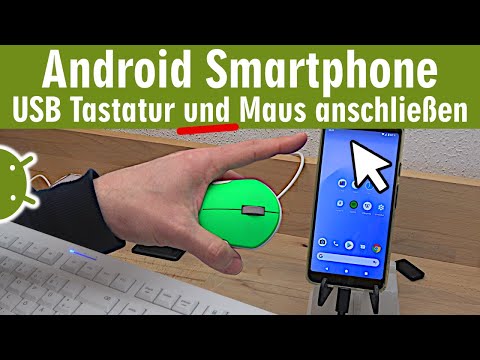
Eigentlich ganz einfach eine USB-Maus und eine USB-Tastatur an ein Android Handy anzuschließen. Da Android auf einem Linux-Kernel beruht sollte auch der Anschluss von externen USB-Geräten möglich sein, wenn es der Handy-Hersteller nicht eingeschränkt hat.
🟢🟢 Adapter USB-C auf A
👉 https://tuhl.info/USB-C-Adapter [Anzeige]
Im Video seht Ihr ein Google Pixel 3a XL mit Android 11 und einer „normalen“ USB-Tastatur und einer USB-Funkmaus, die normalerweise für Desktop-PCs oder Notebooks mit Windows 10 oder Linux verkauft wird. Was man auf jeden Fall benötigt, ist ein „USB-C“ auf „USB-A-Buchse“ Adapter für die bekannten PC-USB-Peripherie-Geräte.
🟢🟢 USB-C Docking Station (funktionieren nicht mit jedem Gerät)
👉 https://tuhl.info/USB-C-Dock [Anzeige]
An einen USB-Hub kann man gleichzeitig verschiedene USB-Sticks, Kartenleser, die Tastatur und die Maus anschließen und ähnlich wie bei Windows mit Android arbeiten und Daten kopieren. Wieviel Strom das aber verbraucht und wie sich der Akkustand des Handys verändert, das seht Ihr im Video.
🔴 Könnt Ihr in den Lesezeichen speichern 👉
🔴 👉 https://technik-hauptstadt.de
🔴 👉 https://tuhlteim.de/category/windows-10-handbuch
🟢🟢 Gebrauchte Gaming-Laptops zum Flottmachen mit Linux
👉 https://tuhl.info/Gaming_Laptops [Anzeige]
🔴🔴 USB-Hub funktioniert so
👉 https://de.wikipedia.org/wiki/USB-Hub
🔴🔴 Drahtloses Miracast funktoniert so (oder auch nicht)
👉 https://de.wikipedia.org/wiki/Miracast
🟢🟢 Kabeltestgeräte zum Prüfen von Computerkabeln
👉 https://tuhl.info/Kabeltestgeräte [Anzeige]
🟢🟢 Werkzeuge, die man zum Reparieren von PCs und Laptops haben sollte 🟢🟢 [Anzeige]
👉 https://tuhl.info/USB-Tester
👉 https://tuhl.info/Kondensatoren-Set
👉 https://tuhl.info/PC-Mainboard-Diagnose
👉 https://tuhl.info/Labornetzteil
👉 https://tuhl.info/Bios-Batterie
👉 https://tuhl.info/Platinenreiniger
👉 https://tuhl.info/Digitale_Multimeter
👉 https://tuhl.info/Aussensechskantschraubendreherset
👉 https://tuhl.info/Plastik-Werkzeuge
👉 https://tuhl.info/ATX-Netzteiltester
👉 https://tuhl.info/heissluft-lötstation
👉 https://tuhl.info/Isopropanol
👉 https://tuhl.info/Nietzangen_und_Nieten
👉 https://tuhl.info/Lüfteröl
PC-Bildschirm bleibt schwarz ⬛ und fährt nicht hoch ❓❓
⭐ PC Diagnose Karte benutzen 👉 https://youtu.be/N3_9LHVvVK8
⭐ PC Diagnose Karten kaufen 👉 https://tuhl.info/PC-Mainboard-Diagnose [Anzeige]
Alte Laptops mit Linux wieder flott machen 🙂️ Es funktioniert 👉 https://youtu.be/-Z_R-G0_mLY
Windows 10 Updates auf USB-Stick kopieren und offline manuell installieren 🤔 sinnvoll 👉 https://youtu.be/MJs_USdIX1Q
2 Weihnachtsgeschenke 🎄️ auf der Straße gefunden 👍️ Creative Labs Geforce 2 GTS 👉 https://youtu.be/E059XgrCO34
Besser nicht installieren 😕 Windows10 Update 20H2 👉 https://youtu.be/DnMjbeOyXFQ
Epson Drucker druckt nicht ⭐ 58 Euro für verbrannte Düsen 😬👉 neuen Drucker kaufen 👉 https://youtu.be/WOz5HgsGh7g
Toshiba Notebook Satellite für 3.800 DM 🔥 Heißer Akku 🔥 und Passiv-Display 👉 https://youtu.be/tAJLNroXYjQ
Neues Notebook gekauft ❓ Lizenzvertrag besser nicht zustimmen 🤔 👉 https://youtu.be/0p06SoHIWQ0
Notebook geht einfach aus 💻 in Windows 10 und im Bios 👉 https://youtu.be/jwPxuWDPinE
Gekauft 📦 und für 1 Cent repariert 👉 https://youtu.be/DBIa24hRP9s
AMD Ryzen mit Fernbedienung ▪ Back To The Future ▪ RGB LED Gaming PC 👉 https://youtu.be/kd4a86M0FKQ
PC-Kauf bei Plus 😟 AMD Athlon K6-2 für 20 Euro von Ebay 👉 https://youtu.be/wCWaMZxFQyI
Grafikkarte wird zu heiß 🔥 108 Grad 🔥 Kühlung verbessern ◾ Wärmeleitpaste erneuern 👉 https://youtu.be/FfiNTrSTVas
Notebook schaltet sich selbst ab 💻 geht nach 10 Minuten von alleine aus 😒 👉 https://youtu.be/SyQgkQKoJBM
Windows 10 auf SD Karte installieren ⭐ ist halt eben sehr ... 👉 https://youtu.be/aBqCJcLnQEo
Tuhl Teim DE - über 720 Videos ► https://goo.gl/pfDG1i
Tuhl Teim DE hier kostenlos auf YouTube abonnieren ► https://goo.gl/JJt8UC

🎬 Random Video Generator: Unbiased Discovery & Surprise Videos! 🤩
Tired of the same recommended videos? Our Random Video Generator offers a unique experience, providing unfiltered access to YouTube's massive library. 📚 Unlike typical YouTube browsing, which is influenced by algorithms and viewing history, this tool delivers truly random videos. 🌈 Explore diverse content and gain a fresh perspective on YouTube's vastness.
How Our Random Video Generator Works ⚙️
We've developed a sophisticated method to bypass YouTube's inherent search biases. 🤖 By leveraging the YouTube API and innovative techniques, we generate near-perfectly random video links. 🔗 This solves the problem of YouTube's lack of a direct "random video" feature, ensuring a truly unpredictable and exciting viewing experience. 🤯
Why Use Our Random Video Generator? 🤔
Unbiased Video Discovery: 🕵️♀️ Experience YouTube content free from algorithmic recommendations. Find videos you'd never see through regular browsing. ✨
Explore YouTube's Vast Library: 🌐 Discover the full scope of YouTube's content, from niche videos to viral hits. 📈
Analyze Video Trends: 📊 Compare video popularity against the broader YouTube landscape. A useful tool for content creators and marketers. 🔍
Enjoy Novel Entertainment: 🎉 Add spontaneity to your viewing habits and find unexpected, hidden gems. 💎
About YouTube and Random Video Generation 📺
YouTube is a global video-sharing platform with millions of hours of content. 🌍 Our random video generator provides a unique way to experience this vast platform. 🔄 It's perfect for those seeking to break free from algorithmic bubbles and discover new content. 🆓 YouTube's support for creators through AdSense and premium subscriptions makes this diverse content possible. 💰
List of ours generators⚡
Random YouTube Videos Generator
Random Film and Animation Video Generator
Random Autos and Vehicles Video Generator
Random Pets and Animals Video Generator
Random Travel and Events Video Generator
Random People and Blogs Video Generator
Random Entertainment Video Generator
Random News and Politics Video Generator
Random Howto and Style Video Generator
Random Education Video Generator