
🟢 Der PC ist tot wie wir ihn bisher kannten 👉 https://youtu.be/LsQa-9LHQAk
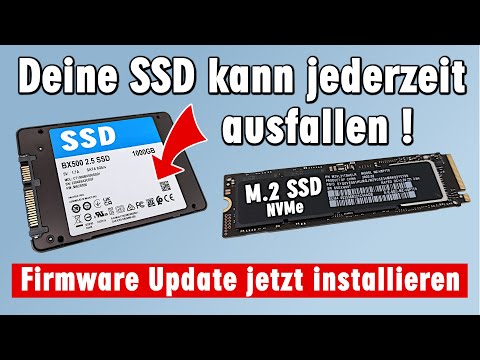
Auch SSDs brauchen ein Firmwareupdate. Genauso wie man bei einem Laptop oder PC ein Bios-Update installiert, sollte man bei der eingebauten SSD im PC, Laptop, NAS-Laufwerk oder in der Playstation 5 regelmäßig auf SSD Firmware Updates prüfen und diese installieren.
Einige SSDs haben eine fehlerhafte Firmware und SSD-Hersteller wie Samsung, Intenso, Sandisk, Western Digital oder Crucial bieten neue Firmware-Versionen in regelmäßigen Abständen zum Download an.
Installiert man die neuesten SSD-Firmware Versionen nicht, kann eine SATA-SSD, NVMe-SSD, oder M.2 SSD plötzlich ausfallen und es kommt zum Datenverlust. Samsung bietet dazu die Software Samsung Disk Magician zum kostenlosen Download an. Habt Ihr eine Sony Playstation 5, dann muss dort die SSD ausgebaut werden und am PC unter Windows 10 oder Windows 11 aktualisiert werden.
🔵 Großartige Technik-Seiten im Internet hier ...
🔵 👉 https://tuhlteim.de
🔵 👉 https://tuhlteim-pedia.de
🔵 👉 https://technik-hauptstadt.de
🟢 Gebrauchte günstige Laptops bei Ebay
👉 https://tuhl.info/Gebrauchte_Laptops [Anzeige]
00:00 SSD Firmware jetzt aktualisieren - alle Hersteller
04:19 Samsung Magician Download und Installation
08:39 Firmware Update Samsung M.2 NVMe SSD
10:38 Bootbaren USB-Stick mit SSD Firmware
11:51 NAS-Laufwerk und Playstation 5
13:45 Firmware im Router Update
🔵 Youtube - Alle Windows 11 Videos und wie man die Systemanforderungen umgeht
👉 https://www.youtube.com/playlist?list=PL3P-jdLnG4I3UoY3kNC1TOPwe12Ql8qGW
🔵 Youtube - Alle Windows 10 Videos und wie man Windows schneller macht
👉 https://www.youtube.com/playlist?list=PL3P-jdLnG4I1Ykm4NyxRy1sgWITSlOlel
🟢 Die Links aus dem Video
👉 https://tuhlteim.de
👉 https://semiconductor.samsung.com/consumer-storage/support/tools
👉 https://support-de.wd.com/app/products/downloads/softwaredownloads
👉 https://www.crucial.de/support/ssd-support
👉 https://www.intenso.de/download
👉 https://crystalmark.info/en/software/crystaldiskinfo
Mini-PC 250 Euro billiger als selbstgebauter PC - GEEKOM A 5 mit Windows 11 👉 https://youtu.be/-pkmb7TmNWI
iMac ist einfach unverwüstlich 👉 https://youtu.be/1v2iPEkWa5s
Gar keine gute Idee in Windows - Laufwerk komprimieren 👉 https://youtu.be/KrxJhOCt5yI
Microsoft empfiehlt jetzt offiziell die Installation von Linux (statt Windows) 👉 https://youtu.be/MwhNE9QrPFo
Windows 11 Version 23H2 - sinnlos und enttäuschendes Update 👉 https://youtu.be/x8UZe_6HLz0
Zeitreise von 1977 bis heute - Energieverbrauch Videospielkonsolen und PCs 👉 https://youtu.be/yWFsKYWkbBo
Fast gerichtlich verboten - Diamond Rio MP3 Player PMP300 👉 https://youtu.be/74vMLpxEgE4
Der Steam Trick mit der externen SSD 👉 https://youtu.be/E95EFz48Awk
Geekom Mini IT13 erster Mini-PC mit Intel Core i9 13900 vs. Intel NUC 13 Pro und PM16 tragbarer Monitor 👉 https://youtu.be/S58hcV6cILk
Linux statt vorinstalliertem Windows 11 - Dual Boot installieren - Linux Mint Alternative - Download 👉 https://youtu.be/c6WX2JxWGVw
GEEKOM Mini IT11 PC max. 5GHz im Test mit Intel Iris Xe Grafik und Windows 11 Pro 👉 https://youtu.be/NqgtscK6e8E
Sony PS5 SSD kaufen und einbauen - Installation ganz einfach bis 4TB bei Playstation 5 👉 https://youtu.be/nUj-Yjs71W0
Gaming PC schaltet sich aus beim Spielen - mitten im Betrieb - Grafikkarte oder Netzteil? 👉 https://youtu.be/aImzHe6Pu5U
Wie die Industrie den Verkauf ankurbelt - Teure iMacs und geplante Obsoleszenz 👉 https://youtu.be/7xvIGlvKLFw
SSD Lebensdauer TBW ist begrenzt - Wie lange hält eine SSD 👉 https://youtu.be/0SwlDuMjajk
Windows PC Laufwerk seit 18 Jahren nicht auf Fehler geprüft 👉 https://youtu.be/CPbkDTv1qIM
Tuhl Teim DE - über 1.000 Videos ►https://www.youtube.com/@TuhlTeimDE
Tuhl Teim DE hier kostenlos auf YouTube abonnieren ► https://www.youtube.com/@TuhlTeimDE?sub_confirmation=1

🎬 Random Video Generator: Unbiased Discovery & Surprise Videos! 🤩
Tired of the same recommended videos? Our Random Video Generator offers a unique experience, providing unfiltered access to YouTube's massive library. 📚 Unlike typical YouTube browsing, which is influenced by algorithms and viewing history, this tool delivers truly random videos. 🌈 Explore diverse content and gain a fresh perspective on YouTube's vastness.
How Our Random Video Generator Works ⚙️
We've developed a sophisticated method to bypass YouTube's inherent search biases. 🤖 By leveraging the YouTube API and innovative techniques, we generate near-perfectly random video links. 🔗 This solves the problem of YouTube's lack of a direct "random video" feature, ensuring a truly unpredictable and exciting viewing experience. 🤯
Why Use Our Random Video Generator? 🤔
Unbiased Video Discovery: 🕵️♀️ Experience YouTube content free from algorithmic recommendations. Find videos you'd never see through regular browsing. ✨
Explore YouTube's Vast Library: 🌐 Discover the full scope of YouTube's content, from niche videos to viral hits. 📈
Analyze Video Trends: 📊 Compare video popularity against the broader YouTube landscape. A useful tool for content creators and marketers. 🔍
Enjoy Novel Entertainment: 🎉 Add spontaneity to your viewing habits and find unexpected, hidden gems. 💎
About YouTube and Random Video Generation 📺
YouTube is a global video-sharing platform with millions of hours of content. 🌍 Our random video generator provides a unique way to experience this vast platform. 🔄 It's perfect for those seeking to break free from algorithmic bubbles and discover new content. 🆓 YouTube's support for creators through AdSense and premium subscriptions makes this diverse content possible. 💰
List of ours generators⚡
Random YouTube Videos Generator
Random Film and Animation Video Generator
Random Autos and Vehicles Video Generator
Random Pets and Animals Video Generator
Random Travel and Events Video Generator
Random People and Blogs Video Generator
Random Entertainment Video Generator
Random News and Politics Video Generator
Random Howto and Style Video Generator
Random Education Video Generator