
Besser nicht installieren Windows10 Update 20H2 👉 https://youtu.be/DnMjbeOyXFQ
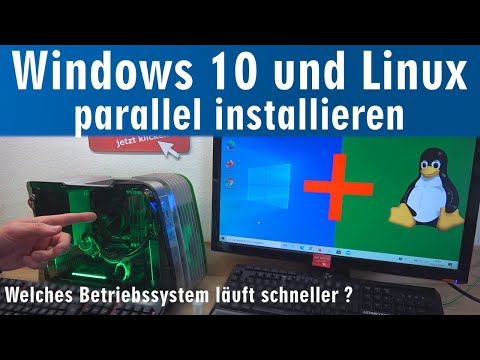
Linux neben Windows 10 installieren ist sehr einfach und die meisten Linux-Versionen wie Ubuntu oder Linux Mint unterstützen diesen Installationsmodus von Haus aus. Dazu erstellt man sich einfach einen Linux-Installations-USB-Stick.
🔵 Das grüne Aluminium-Glas-Gehäuse wie im Video
👉 https://tuhl.info/Enermax_Steelwing
Habt Ihr auf eurem PC oder Laptop schon Windows 10 installiert, dann kann man die Partition einfach mit Windows 10 Bordmitteln verkleinern, wie im Video zu sehen. Mit Diskpart kann man auch die versteckte und geschützte Wiederherstellungspartition mit dem Befehl „delete partition override“ entfernen.
🔵 Gebrauchte Gaming-Laptops zum Flottmachen
👉 https://tuhl.info/Gaming_Laptops [Anzeige]
In diesen freien Speicherplatz auf der Festplatte oder SSD wird dann Linux installiert. Linux installiert automatisch einen Bootmanager, meistens den Bootmanager Grub und nach dem Neustart hat mann ein Dual Boot System mit Auswahlmenü, ob man Windows 10 oder Linux starten möchte.
🟢 Plastikrahmen für 2 SSDs ohne Schrauben in einem 3,5“ Schacht
👉 https://tuhl.info/Dual_SSD_Rahmen [Anzeige]
🟢 NVMe-SSDs beschleunigen euren PC erheblich
👉 https://tuhl.info/NVME-M2-SSDs-3300MBs [Anzeige]
🔴🔴 Auf der Seite Technik Hauptstadt findet Ihr Tipps und Tricks auch für Playstation, Xbox und Apple 🔴🔴
👉 https://technik-hauptstadt.de
🔴🔴 Das „Windows 10 Handbuch“ mit Dutzenden weiteren Tipps und Tricks 🔴🔴
👉 https://tuhlteim.de/category/windows-10-handbuch
🟢 Werkzeuge, die man zum Reparieren haben sollte 🟢 [Anzeige]
👉 https://tuhl.info/USB-Tester
👉 https://tuhl.info/Kondensatoren-Set
👉 https://tuhl.info/PC-Mainboard-Diagnose
👉 https://tuhl.info/Labornetzteil
👉 https://tuhl.info/Bios-Batterie
👉 https://tuhl.info/Platinenreiniger
👉 https://tuhl.info/Digitale_Multimeter
👉 https://tuhl.info/Aussensechskantschraubendreherset
👉 https://tuhl.info/Plastik-Werkzeuge
👉 https://tuhl.info/ATX-Netzteiltester
👉 https://tuhl.info/heissluft-lötstation
👉 https://tuhl.info/Isopropanol
👉 https://tuhl.info/Nietzangen_und_Nieten
👉 https://tuhl.info/Lüfteröl
🐧 Linux Mint Download 👉 https://www.linuxmint.com/
🐧 Linux Mint 👉 https://de.wikipedia.org/wiki/Linux_Mint [Wikipedia]
🐧 Ubuntu Linux 👉 https://de.wikipedia.org/wiki/Ubuntu [Wikipedia]
🐧 Manjaro Linux 👉 https://de.wikipedia.org/wiki/Manjaro_Linux [Wikipedia]
🐧 Elementary OS Linux 👉 https://de.wikipedia.org/wiki/Elementary_OS [Wikipedia]
🐧 Pop_Os! Linux 👉 https://en.wikipedia.org/wiki/Pop!_OS [Wikipedia]
Neuen Ryzen 7 PC bauen 🤔 aber mit welchem Betriebssystem ❓ Windows 10 oder Linux 👉 https://youtu.be/kxbxfW7mLE0
Canon Drucker wird bald deaktiviert 😬 kann jedem Drucker passieren ⭐ Service Tool funktioniert nicht mehr 👉 https://youtu.be/Nwb77IgkmlA
Linux Mint 🐧 Das bessere Windows 10 ⭐ Bitte umsteigen 👉 https://youtu.be/etXrZaCJDSM
Obst vom Bodensee 🍏 Pentium 166MHz-PC mit Windows 95 🤔 👉 https://youtu.be/RMZQuB27URk
Windows 10 Bluescreen nach 20H2 Update 🔴 Bad System Config Info 🔴 nach Installation 👉 https://youtu.be/z1BER7jUjrk
10 Windows Versionen auf einem PC ⭐ Win3.11 Win95 Win98 Me 2000 XP Vista Win7 Win8 Win10 👉 https://youtu.be/E-FBrisWNis
Besser nicht installieren 😕 Windows10 Update 20H2 👉 https://youtu.be/DnMjbeOyXFQ
Der Frankenstein-PC QuadCore mit Windows 10 😱 aus drei Jahrzehnten 🤔 Iomega ZIP LS120 Blu-Ray 👉 https://youtu.be/7Rm_FMT9ttU
Windows Me auf SSD installieren ✅ Nvidia Riva TNT2 ▪ Compaq Presario ▪ Intel Pentium III 👉 https://youtu.be/dEzwGx75l_Q
Es muss nicht immer ein 13.000 Euro PC sein 😣 dieser PC reicht völlig aus 👉 https://youtu.be/cdAP0nXv9Sc
Im Sommer ist euer PC langsamer 🔥 Prozessor taktet sich runter ▪ ganz einfach schneller machen 👉 https://youtu.be/s02RRrJDF8k
Tuhl Teim DE - über 700 Videos ► https://goo.gl/pfDG1i
Tuhl Teim DE hier kostenlos auf YouTube abonnieren ► https://goo.gl/JJt8UC

🎬 Random Video Generator: Unbiased Discovery & Surprise Videos! 🤩
Tired of the same recommended videos? Our Random Video Generator offers a unique experience, providing unfiltered access to YouTube's massive library. 📚 Unlike typical YouTube browsing, which is influenced by algorithms and viewing history, this tool delivers truly random videos. 🌈 Explore diverse content and gain a fresh perspective on YouTube's vastness.
How Our Random Video Generator Works ⚙️
We've developed a sophisticated method to bypass YouTube's inherent search biases. 🤖 By leveraging the YouTube API and innovative techniques, we generate near-perfectly random video links. 🔗 This solves the problem of YouTube's lack of a direct "random video" feature, ensuring a truly unpredictable and exciting viewing experience. 🤯
Why Use Our Random Video Generator? 🤔
Unbiased Video Discovery: 🕵️♀️ Experience YouTube content free from algorithmic recommendations. Find videos you'd never see through regular browsing. ✨
Explore YouTube's Vast Library: 🌐 Discover the full scope of YouTube's content, from niche videos to viral hits. 📈
Analyze Video Trends: 📊 Compare video popularity against the broader YouTube landscape. A useful tool for content creators and marketers. 🔍
Enjoy Novel Entertainment: 🎉 Add spontaneity to your viewing habits and find unexpected, hidden gems. 💎
About YouTube and Random Video Generation 📺
YouTube is a global video-sharing platform with millions of hours of content. 🌍 Our random video generator provides a unique way to experience this vast platform. 🔄 It's perfect for those seeking to break free from algorithmic bubbles and discover new content. 🆓 YouTube's support for creators through AdSense and premium subscriptions makes this diverse content possible. 💰
List of ours generators⚡
Random YouTube Videos Generator
Random Film and Animation Video Generator
Random Autos and Vehicles Video Generator
Random Pets and Animals Video Generator
Random Travel and Events Video Generator
Random People and Blogs Video Generator
Random Entertainment Video Generator
Random News and Politics Video Generator
Random Howto and Style Video Generator
Random Education Video Generator